
GADGETS
The Ultimate Guide to Laser Scanners: Everything You Need to Know

Laser scanners are revolutionary tools used in various fields like architecture, construction, and manufacturing. These devices create detailed 3D models of objects and environments.
As technology advances, we must understand laser scanners. We need to know how they work, their types, and their uses.
This guide will take you through everything you need to know about laser scanners.
What Are Laser Scanners?
Laser scanners use laser beams to measure distances accurately. These devices send out laser light. They measure the time for the light to return after hitting an object.
This method allows them to create precise 3D representations of that object or space. The data can be used in many ways. They include designing buildings and making 3D animation models.
Types of Laser Scanners
There are several types of laser scanners, each designed for specific uses. Here are a few common types:
Handheld Scanners
Handheld scanners are portable devices that are easy to use. They allow users to scan objects by moving the scanner around. This mobility makes them ideal for smaller projects or tight spaces.
The data can be transferred to a computer for analysis. Many designers and engineers prefer handheld scanners for their versatility and convenience.
3D Scanners
3D scanners capture the shape of an object and convert it into a digital format. These scanners are popular in gaming and film. They need to create realistic models.
Licensed dentists use a dental 3D scanner to make exact molds of patients’ teeth for restorative work. Other industries, like art restoration, also benefit from 3D scanning.
Industrial Scanners
Industrial scanners are robust devices designed for large-scale projects. They can scan entire buildings or landscapes. They are used in construction and civil engineering.
These scanners provide vast amounts of data encompassing every detail of a project.
Emerging Technologies: 3D Printers and Laser Scanners
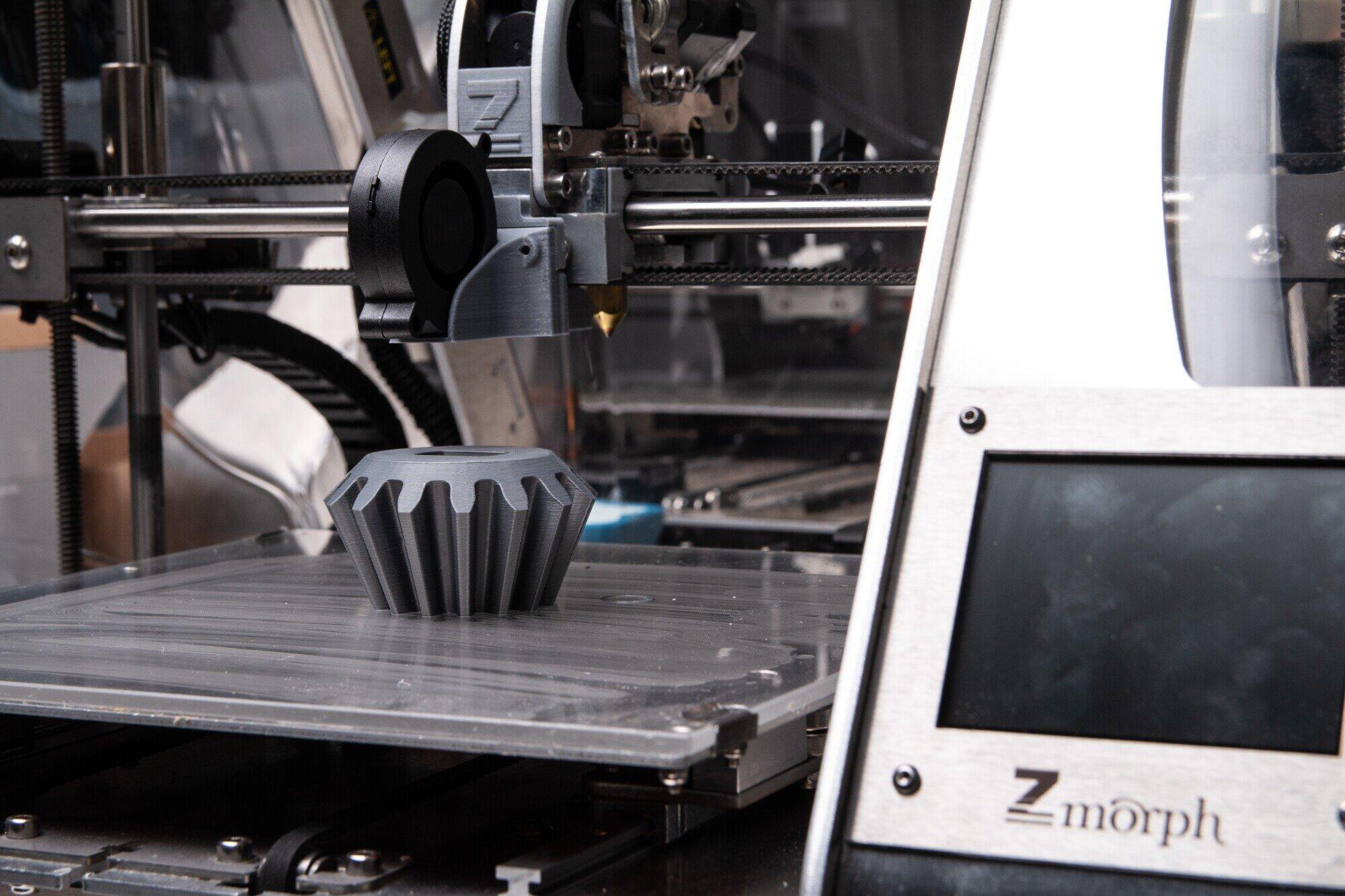
As technology evolves, laser scanners and 3D printers are being combined more. After scanning an object, designers can 3D print their models.
This workflow has revolutionized many industries, from product design to prototyping. The tools, working together, let designers quickly turn an idea into reality.
To explore laser scanners, consider investing in portable and handheld 3d scanners. The advancements in this technology will surely provide endless opportunities across various sectors.
Applications of Laser Scanners
Laser scanners are used in various fields, demonstrating their versatility and efficiency. Here are some of the most common applications:
In architecture and construction, laser scanners help architects create accurate blueprints and models. They check all dimensions before starting any work. This saves time and resources.
In manufacturing, these devices check product quality. They ensure products meet specific standards.
Also, in medicine, specialized dental 3D scanners make precise fittings for dental appliances. Artists and preservationists use laser scanners to document sculptures and artifacts. This creates a permanent record to aid restoration efforts.
The Future of Laser Scanners
The future of laser scanners looks promising with ongoing advancements in technology. New developments are making these devices more affordable and accessible. As more industries discover the benefits, usage is expected to grow.
Additionally, advancements are enhancing the capabilities of both handheld and industrial scanners. Users can now visualize scanned info better.
Improved data processing and software tools made this possible. As these tools get easier, more people will likely explore laser scanning.
Embrace the Technology of Laser Scanners
Laser scanners are a major advance in capturing and analyzing our world. Their ability to create precise 3D models has transformed many industries.
Handheld scanners enable quick scans. Industrial scanners gather extensive data. The applications are vast and varied.
Visit our website for more like this.



Introduction to Fintechzoom Hublot
In a world where technology and luxury converge, Fintechzoom Hublot stands at the forefront of timekeeping innovation. This brand has captured the attention of watch enthusiasts and tech aficionados alike, redefining what it means to wear a watch in today’s fast-paced digital age. Imagine wearing not just a piece of jewelry on your wrist but also a cutting-edge device that seamlessly integrates with your lifestyle. With its unique blend of craftsmanship and modernity, Fintechzoom Hublot is revolutionizing how we perceive timepieces. Join us as we explore this exciting journey through history, technology, design, and the bright future awaiting timekeeping.
The History and Evolution of Timekeeping
Timekeeping has come a long way since ancient civilizations relied on the sun’s position to track hours. Sundials and water clocks marked early innovations, showcasing human ingenuity in measuring time.
As societies advanced, mechanical clocks emerged in Europe during the Middle Ages. These intricate devices transformed how people organized their lives.
The invention of pendulum clocks in the 17th century significantly improved accuracy. Suddenly, precision became paramount, paving the way for modern horology.
With industrialization came mass production. Watches transitioned from luxury items to accessible accessories worn by many.
The digital revolution brought yet another shift. Quartz technology replaced traditional mechanics, offering unparalleled accuracy at lower costs.
Today, smartwatches integrate advanced features like health tracking and notifications into wristwear. This evolution continues as we explore new frontiers in timekeeping through innovation and technology.
How Fintechzoom Hublot Uses Technology in Watchmaking?
Fintechzoom Hublot is at the forefront of merging technology with traditional watchmaking. By integrating smart features, they create timepieces that do more than just tell time.
Their watches often include connectivity options, allowing users to sync with smartphones and access notifications directly from their wrists. This advancement enhances convenience in our fast-paced lives.
Moreover, Fintechzoom Hublot employs cutting-edge materials like carbon fiber and ceramic composites. These not only elevate durability but also introduce a futuristic aesthetic to their designs.
The incorporation of advanced movement mechanisms ensures precision while maintaining elegance. Each piece embodies innovation without sacrificing craftsmanship.
With these technological advancements, Fintechzoom Hublot continues to push boundaries in horology, appealing to both tech enthusiasts and luxury watch collectors alike. Their commitment to blending art with science redefines what a watch can be today.
The Benefits of Fintechzoom Hublot’s Technological Advancements
Fintechzoom Hublot stands at the forefront of watchmaking innovation. The integration of advanced technology has redefined what a luxury timepiece can offer.
One significant benefit is connectivity. With smart features, users can sync their watches to smartphones seamlessly. Notifications, fitness tracking, and even health monitoring are now just a glance away.
Durability plays a crucial role as well. Advanced, state-of-the-art components significantly bolster durability and damage resistance without compromising the streamlined aesthetic. This means that style does not come at the expense of functionality.
Moreover, customization options have expanded exponentially. Users can personalize watch faces and settings through intuitive apps, allowing for an individualized experience that matches personal taste.
The combination of artistry with tech creates unique pieces that appeal to both traditionalists and modern enthusiasts alike. Fintechzoom Hublot is transforming how we perceive luxury in timekeeping today.
Innovation in Design and Features
Innovation in design is at the heart of Fintechzoom Hublot. The brand combines traditional watchmaking with cutting-edge technology to create timepieces that stand out.
One notable feature is their use of smart materials. These materials enhance durability while maintaining an elegant aesthetic. Each watch becomes a testament to craftsmanship and modernity.
The integration of digital interfaces also sets these watches apart. Users can interact seamlessly with their devices, receiving notifications and tracking health metrics right from their wrist.
Moreover, customizable designs allow individuals to express personal style uniquely. With interchangeable straps and faces, every wearer can tailor their timepiece to match any occasion or mood.
This approach not only redefines luxury but also merges functionality with artful design, pushing the boundaries of what a watch can be. It’s a bold step into the future where technology meets elegance effortlessly.
The Future of Timekeeping with Fintechzoom Hublot
The future of timekeeping is bright with Fintechzoom Hublot leading the charge. As technology continues to advance, we can expect innovative features that redefine how we perceive time.
Imagine smart watches seamlessly integrating health monitoring and connectivity without sacrificing style. Fintechzoom Hublot is currently investigating these prospects, harmonizing sophisticated technological advancements with high-end visual elegance.
Moreover, sustainability will play a significant role in their designs. The incorporation of eco-friendly materials and energy-efficient mechanisms could revolutionize the watch industry while appealing to environmentally conscious consumers.
Artificial intelligence might also find its way into watch functionality. Personalized features could tailor reminders or alerts based on user habits, enhancing everyday usability.
As we look forward, Fintechzoom Hublot stands poised to transform our relationship with time itself through creativity and technological prowess. The boundaries between tradition and innovation will blur as they pave new paths for horology enthusiasts around the world.
Conclusion
Fintechzoom Hublot has undeniably made a significant impact on the world of timekeeping. By fusing traditional craftsmanship with state-of-the-art technology, they are reshaping how we perceive and interact with watches. The evolution from simple mechanical devices to smart, feature-rich timepieces illustrates the brand’s commitment to innovation.
The technological advancements offered by Fintechzoom Hublot enhance user experience and functionality while maintaining an aesthetic appeal. This combination is vital in attracting modern consumers who appreciate both form and function.
As we look ahead, it’s clear that Fintechzoom Hublot will continue to lead the charge in revolutionizing horology through creativity and tech integration. Their approach not only preserves the art of watchmaking but also propels it into an exciting future filled with endless possibilities for enthusiasts and collectors alike. The journey of reimagining timekeeping is just beginning, promising more groundbreaking developments from this dynamic brand as they pave new paths in luxury watchmaking.

Introduction to Chargomez1
In a world where our devices are an extension of ourselves, finding the right charger can feel like searching for a needle in a haystack. Enter Chargomez1, your ultimate charging companion designed to simplify and enhance your tech experience. Whether you’re at home, on the road, or in the office, having a reliable charger is essential. But not all chargers are created equal. That’s where Chargomez1 stands out from the crowd.
With its sleek design and impressive functionality, this device promises to keep you powered up without any hassle. Curious about what makes Chargomez1 so special? Let’s dive into its features and benefits that will change how you think about charging forever!
Features and Benefits
The Chargomez1 stands out with its sleek design and robust functionality. It offers rapid charging capabilities, significantly reducing downtime for your devices. This feature is a game-changer in today’s fast-paced world.
Versatility defines the Chargomez1. With multiple ports, it can charge several devices simultaneously without compromising speed or efficiency. Whether you’re powering up your smartphone, tablet, or headphones, this charger has you covered.
Durability is another key benefit. Constructed from high-quality materials, the Chargomez1 ensures longevity and reliable performance over time. You won’t need to replace it frequently like other chargers on the market.
Safety features are integrated throughout its design as well. Overcharge protection and temperature control keep your devices safe while they power up. Peace of mind comes standard with every use of the Chargomez1—a true necessity for anyone who values their tech gear.
Compatibility with Various Devices
Chargomez1 stands out for its exceptional compatibility. It works seamlessly with a wide array of devices, making it an essential accessory for tech users.
Whether you own the latest smartphone, tablet, or even smartwatches, Chargomez1 has got you covered. Its universal design ensures that all your gadgets can stay powered throughout the day without any hassle.
No need to juggle multiple chargers anymore; this device simplifies your life. The advanced technology behind Chargomez1 means it recognizes and adapts to various charging protocols automatically.
From Apple to Android and beyond, each connection is smooth and efficient. It’s designed not only for smartphones but also accommodates laptops and portable gaming consoles too.
Being compatible across platforms makes Chargomez1 a versatile choice in today’s multi-device world. Enjoy the convenience of one charger that meets all your powering needs effortlessly.
How to Use Chargomez1?
Using Chargomez1 is straightforward and user-friendly. Start by plugging the device into a power source using the provided cable.
Next, connect your gadget to its compatible port on Chargomez1. Whether it’s a smartphone, tablet, or other gadgets, you’ll find it simple to attach.
Once connected, check for any indicator lights that show charging progress. This feature ensures you’re informed at all times.
For optimal performance, avoid overloading the device with multiple connections simultaneously. Stick to one or two devices for faster charging speeds.
If you’re moving around while charging, make sure the cord has enough length for comfort without strain. Enjoy the convenience of powering up on-the-go!
Regularly clean your ports and cables to maintain connection quality and efficiency as well. A little care goes a long way in maximizing your experience with Chargomez1.
Customer Reviews and Testimonials
Chargomez1 has received a wave of positive feedback from users around the globe. Customers rave about its impressive charging speed, which allows them to power up their devices in record time.
One user shared that they can fully charge their smartphone in under an hour, making it perfect for those on the go. Another highlighted its sleek design and portability, noting how easy it is to toss into a bag without adding bulk.
Many appreciate the durability of Chargomez1 as well. Users mention that it withstands daily wear and tear better than most chargers they’ve owned.
Testimonials also emphasize compatibility with multiple devices. Whether it’s tablets, laptops, or smartwatches, Chargomez1 seems to handle them all effortlessly. It’s no wonder this charger has become a must-have accessory for tech enthusiasts everywhere!
Pricing and Availability
Chargomez1 offers competitive pricing that caters to a wide range of budgets. You can find it at various online retailers and electronics stores, making it easily accessible.
The affordability does not compromise quality. Each unit is built with durability in mind, ensuring you get value for your investment.
Occasionally, special promotions or discounts are available. Keep an eye out for seasonal sales or bundle deals that enhance the overall savings.
For those looking to buy in bulk, there might be additional perks. Retailers often provide incentives for larger purchases.
Availability varies by region but generally includes major cities and online platforms. This makes finding Chargomez1 convenient no matter where you are located.
Why Chargomez1 is the Best Choice for Your Charging Needs?
Chargomez1 stands out in a crowded market for several reasons. Its fast charging capability ensures your devices power up quickly, saving you valuable time during busy days.
Durability is another highlight. Made with high-quality materials, Chargomez1 can withstand the wear and tear of daily use without compromising performance.
Versatility adds to its appeal. Whether you’re using it at home or on the go, this charger fits seamlessly into various environments and lifestyles.
User-friendly design makes it easy to connect and disconnect devices without hassle. The compact size means it won’t take up much space in your bag.
Affordability is key too; Chargomez1 delivers premium features at a price that won’t break the bank. With a combination of speed, durability, versatility, ease of use, and cost-effectiveness, it’s hard not to see why so many users choose Chargomez1 as their go-to charging solution.
Conclusion
When it comes to finding a reliable and efficient charging companion, the Chargomez1 stands out in every way. Its impressive features ensure that your devices remain powered up throughout the day, making it an indispensable tool for anyone who relies on technology.
The versatility of Chargomez1 is evident as it seamlessly connects with various devices. Whether you own a smartphone, tablet or other gadgets, this charger adapts effortlessly to meet your needs. The user-friendly design ensures that even those less tech-savvy can utilize its benefits effectively.
Customer feedback highlights not just satisfaction but genuine enthusiasm for how well Chargomez1 performs under different circumstances. Many users praise its speed and reliability—qualities that are essential in today’s fast-paced world.
With competitive pricing and availability across multiple platforms, getting your hands on a Chargomez1 has never been easier. It offers great value considering its robust performance and compatibility options.
Choosing the right charging solution impacts daily life significantly. With all these advantages packed into one device, opting for Chargomez1 means ensuring you’re always equipped to stay connected without hassle or interruptions.
So why wait? Experience the convenience of having a dependable charging companion by choosing Chargomez1 today!

Introduction to Google Home Max White
Imagine transforming your living room into a concert hall or movie theater with just one device. The Google Home Max White does exactly that. It’s not just another smart speaker; it’s designed to elevate your home entertainment experience like never before. With its stunning design and powerful audio capabilities, this sleek gadget merges technology with style seamlessly.
Whether you’re hosting a gathering, enjoying a quiet evening alone, or simply want the best sound for your favorite playlist, the Google Home Max White stands out as a game-changer in the world of home audio systems. Let’s dive deeper into what makes this speaker an essential addition to any modern home!
Features and Specifications of Google Home Max White
The Google Home Max White is a powerhouse in the smart speaker arena. With its sleek design and premium materials, it seamlessly blends into any modern home decor.
Equipped with dual 4.5-inch woofers and custom tweeters, this speaker delivers rich sound quality. Whether you’re listening to your favorite playlist or catching up on podcasts, every note resonates beautifully.
Integration with Google Assistant sets the Home Max apart. Voice commands allow for hands-free control of music, home automation devices, and more. It is comparable to having a dedicated aide ready to assist you at a moment’s notice.
With built-in Chromecast support, streaming from various platforms becomes effortless. You can easily cast music directly from your smartphone or tablet without complicated setups.
Additionally, smart tuning technology adapts audio output based on room acoustics. This ensures optimal performance no matter where you place it in your living space.
Benefits of Using Google Home Max White in Your Home Entertainment System
The Google Home Max White transforms your home entertainment experience with its powerful audio performance. Its rich, room-filling sound elevates music listening to new heights, making every note and beat come alive.
With smart integration capabilities, this speaker connects seamlessly to various streaming services. Whether you prefer Spotify or YouTube Music, accessing your favorite tunes is a breeze.
Voice control adds convenience, allowing you to change tracks or adjust volume hands-free. This feature proves especially useful during gatherings when you’re busy entertaining guests.
Moreover, the sleek design of the Google Home Max White complements any decor effortlessly. It’s not just a device; it’s an aesthetic addition that enhances your living space.
Multi-room functionality allows for synchronized music playback in different rooms. Enjoy consistent audio throughout your home without missing a beat while moving from room to room.
Comparison with Other Smart Speakers on the Market
When comparing the Google Home Max White to other smart speakers, it stands out for its impressive audio quality. The dual 4.5-inch woofers and custom tweeters deliver a rich sound experience that many competitors struggle to match.
While Amazon Echo Studio offers similar features, it doesn’t quite reach the same level of clarity in bass response. Apple’s HomePod also provides excellent sound but comes with a higher price tag and limited compatibility outside the Apple ecosystem.
In terms of smart functionality, Google Assistant shines brighter than Alexa or Siri in general knowledge queries and seamless integration with various home devices.
The design of the Google Home Max White is sleek and modern, making it an aesthetic addition to any room compared to bulkier alternatives from brands like JBL or Sonos. Users looking for both style and substance lean toward this model as their top choice.
Setting Up and Using Google Home Max White
Setting up your Google Home Max White is a breeze. Start by plugging it in and downloading the Google Home app on your smartphone.
Once the app is installed, follow the prompts to connect your speaker to Wi-Fi. The system’s layout intuitively directs you through the entire process without any friction.
After connecting, personalize your settings. You can choose voice recognition options and link music services like Spotify or YouTube Music.
Using the device is intuitive. Just say “Hey Google” followed by your command for music playback, smart home control, or information queries.
Explore its features; adjust volume with ease or group multiple speakers for surround sound experiences throughout your home.
The touch controls on top add another layer of convenience swipe to change tracks or tap to play/pause. Embrace a new level of entertainment with this powerful speaker right at your fingertips!
Tips and Tricks for Maximizing Your Experience with Google Home Max White
To truly elevate your experience with the Google Home Max White, start by optimizing its placement. Position it in an open space away from walls to enhance sound quality and create a more immersive listening environment.
Make use of voice commands effectively. Familiarize yourself with various phrases for controlling playback, adjusting volume, or even asking for information. This can streamline your interaction and make everything feel seamless.
Explore multi-room audio functionality. Connect multiple Google devices together to fill your home with synchronized music throughout different spaces. It’s perfect for parties or relaxing weekends at home.
Don’t forget about personalization options. Customize routines that suit your lifestyle—whether it’s morning news updates or winding down with ambient sounds at night.
Keep the software updated regularly to benefit from new features and improvements as they roll out from Google.
Potential Drawbacks and How to Overcome Them
The Google Home Max White impresses with its sound quality, but it does come with a few potential drawbacks. One common issue is its size. This speaker takes up more space than traditional smart speakers, which might not suit every room.
Another concern is the price point. It’s positioned as a premium product, and that can be a barrier for some users looking for budget-friendly options.
Connectivity can also pose challenges. While it offers seamless integration with various devices, occasional Wi-Fi issues may disrupt your listening experience.
To overcome these hurdles, consider strategic placement of the speaker to optimize sound while minimizing bulkiness. If you’re worried about cost, look out for promotions or refurbished models that maintain quality without breaking the bank.
For connectivity troubles, ensure your router is updated and positioned optimally in your home to enhance performance.
Conclusion
Google Home Max White is a game-changer for home entertainment enthusiasts. With its sleek design and impressive sound quality, it seamlessly blends style with functionality. The features and specifications set it apart in the crowded smart speaker market, making it an ideal choice for those who prioritize audio performance.
Integrating Google Home Max White into your home entertainment system elevates your listening experience to new heights. Its ability to fill any room with rich sound enhances everything from music streaming to movie watching. Plus, when compared to other smart speakers, the Max stands out not just by delivering superior audio but also by offering intuitive voice control through Google Assistant.
Setting up the device is straightforward; even beginners can get started without hassle. And once you’re up and running, there are plenty of tips and tricks available that can help you maximize its potential—whether it’s optimizing settings or integrating additional devices.
However, like any product, Google Home Max White’s does have some drawbacks that might affect certain users. Being aware of these issues and knowing how to address them will ensure you make the most of your investment.
With all these aspects combined, it’s clear why many consider the Google Home Max White a top pick for enhancing their home entertainment systems. Whether you’re hosting a party or enjoying a quiet night in, this smart speaker is likely to meet and exceed your expectations.




 HOME IMPROVEMENT1 year ago
The Do’s and Don’ts of Renting Rubbish Bins for Your Next Renovation
- BUSINESS1 year ago
Exploring the Benefits of Commercial Printing
- HOME IMPROVEMENT10 months ago
Get Your Grout to Gleam With These Easy-To-Follow Tips

 HEALTH10 months ago
The Surprising Benefits of Weight Loss Peptides You Need to Know
- TECHNOLOGY1 year ago
Dizipal 608: The Tech Revolution Redefined
- HEALTH10 months ago
Your Guide to Shedding Pounds in the Digital Age
- BUSINESS1 year ago
Brand Visibility with Imprint Now and Custom Poly Mailers
- LAW1 year ago
7 Key Questions to Ask When Hiring a Criminal Lawyer