
APPS & SOFTWARE
How to Send 100GB File Free: Top Solutions and Tips

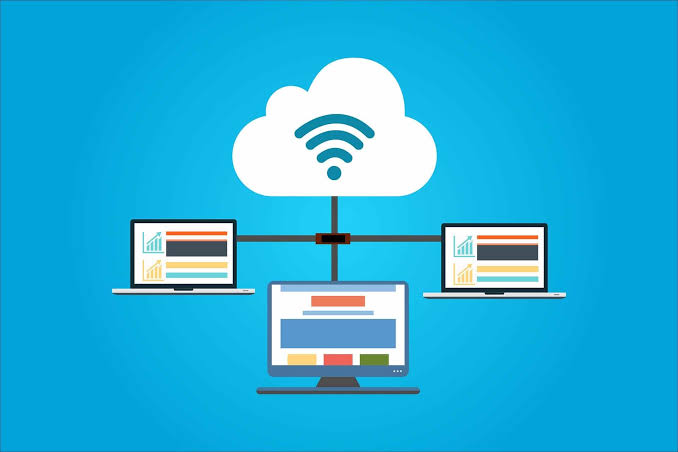
Step-by-Step Guide to Send 100GB File Free Online
Transferring large files online can be a daunting task, but it’s essential in our data-driven world. Whether you’re sharing media files, software, or large datasets, finding a reliable way to send a 100GB file for free is crucial. This guide will walk you through the best solutions and provide helpful tips to make the process smooth and efficient.
When you’re looking to send a 100GB file free, there are several methods to consider. Here’s a detailed, step-by-step guide to help you navigate your options:
Different Sizes for A File You Should Know [MB/GB/TB/PB]
Understanding file sizes is fundamental to managing and transferring data effectively:
- MB (Megabyte): 1 MB = 1,024 KB (Kilobytes)
- GB (Gigabyte): 1 GB = 1,024 MB
- TB (Terabyte): 1 TB = 1,024 GB
- PB (Petabyte): 1 PB = 1,024 TB
How to Send 100MB File Free
Sending a 100MB file is relatively simple and can be done using several free online services:
- Email Attachments: Most email providers support attachments up to 25MB per email, but services like Gmail and Yahoo Mail can handle larger files through cloud integration.
- File Transfer Services: Websites like WeTransfer, SendGB, and TransferNow allow free transfers of files up to 2GB without needing an account.
How to Send 100GB File Free
Sending a 100GB file requires solutions that are more robust. Here are some of the best methods:
Method 1: Use Cloud Storage Services
Cloud storage services offer an efficient way to transfer large files. Here are a few options:
- Google Drive: With a free account, you get 15GB of storage, but you can upgrade for more space. Google Drive allows you to share files by generating a link.
- Dropbox: Offers 2GB of free storage, but upgrading to a paid plan can give you the necessary space for large files. Dropbox also provides shareable links.
- OneDrive: Microsoft’s OneDrive gives you 5GB for free, with paid plans available for more storage. Files can be shared with links or direct email invites.
Method 2: Use Raysync Cloud [Free Trial Up to 30GB]
Raysync offers a specialized solution for large file transfers with a free trial that allows up to 30GB of data transfer. Here’s how to use it:
- Sign Up: Create a free account on the Raysync website.
- Upload Files: Use their interface to upload your files.
- Generate Link: Once uploaded, generate a shareable link.
- Share: Send the link to your recipient for them to download the file.
How to Send 100TB File Free
Sending a 100TB file for free is currently not feasible with public tools due to the sheer size and storage costs involved. However, specialized services and enterprise solutions can handle such transfers for a fee.
Here’s a guide on how to send a 100TB file with Raysync:
Step 1: Contact Raysync Sales: Sending a 100TB file requires special considerations.
Step 2: Prepare Your File: Ensure your 100TB file is properly organized and compressed (if possible) to optimize transfer efficiency.
Step 3: Internet Connection: A stable and high-bandwidth internet connection is crucial for transferring such a large file.
In conclusion, while Raysync can handle large file transfers, sending a 100TB file requires careful planning and consultation with their sales team. They can advise on the most efficient and secure method for your specific needs.
How to Send 100PB File Free
Sending a 100PB file for free is beyond the capabilities of current online services. Such large data transfers typically require physical data transfer solutions, such as shipping hard drives, or using high-capacity, high-cost data transfer services.
Sending a 100 petabyte (PB) file with Raysync is unlikely to be feasible due to the sheer size of the data. Here’s why:
Storage Limitations: Even the most robust cloud storage solutions have limitations in terms of storage capacity. 100PB is a massive amount of data, exceeding what most standard cloud storage plans offer.
Transfer Speeds: Uploading and downloading such a large file would take an extremely long time, even with the fastest internet connections available. The transfer time could potentially stretch into years.
Technical Challenges: Managing and transferring a 100PB file presents significant technical challenges. Maintaining stable connections, handling potential data corruption, and ensuring security throughout the process would be extremely complex.
It’s highly recommended to consult with Raysync’s sales team to discuss your specific needs and explore alternative solutions for managing such a large data volume. They can provide insights into potential approaches and connect you with resources best suited to handle your situation.
The End
Transferring large files, such as a 100GB file, can be challenging, but there are free solutions available to help you manage the task efficiently. By leveraging cloud storage services and specialized file transfer tools like Raysync, you can ensure your large files are sent securely and without hassle.


In the ever-evolving landscape of digital tools and services, staying ahead is paramount. As we step into 2024, the integration of Envato, Grammarly, and Canva has created a buzz in the content creation sphere. This comprehensive package service aims to streamline workflows, enhance productivity, and elevate creativity for individuals and businesses alike.
What is Envato?
Envato is a renowned online marketplace offering a plethora of digital assets and creative resources. From WordPress themes to royalty-free music, Envato caters to diverse needs across various industries. With millions of users worldwide, it has established itself as a go-to platform for designers, developers, and content creators.
What is Grammarly?
Grammarly is a powerful writing assistant that helps users improve their grammar, punctuation, and style. With advanced AI algorithms, Grammarly provides real-time suggestions and feedback to enhance the clarity and effectiveness of written communication. Its user-friendly interface and robust features make it indispensable for professionals, students, and anyone striving for impeccable writing.
Understanding Canva
Canva is a user-friendly graphic design platform that empowers individuals to create stunning visuals with ease. Whether designing social media graphics, presentations, or marketing materials, Canva offers a wide range of templates, images, and fonts to unleash creativity. Its intuitive drag-and-drop interface makes design accessible to everyone, regardless of their design expertise.
ALSO READ: HARMONICODECOM: YOUR PARTNER IN PRODUCTIVITY
The Package Service in 2024
In 2024, the collaboration between Envato, Grammarly, and Canva has reached new heights. The package service seamlessly integrates these three platforms, offering users a comprehensive toolkit for content creation and optimization. With synchronized workflows and enhanced interoperability, users can now leverage the synergies between these platforms like never before.
How to Access the Package Service
Accessing the Envato Grammarly Canva package service is simple and straightforward. Users can choose from various subscription options tailored to their needs and budget. Whether opting for a monthly plan or an annual subscription, users can unlock the full potential of this integrated package service at competitive pricing.
Advantages of Using Envato Grammarly Canva Package Service
The advantages of utilizing the Envato Grammarly Canva package service are manifold. Not only does it streamline the content creation process, but it also ensures consistency, accuracy, and professionalism in every piece of content produced. By harnessing the power of AI-driven tools and creative resources, users can elevate their work to new heights.
ALSO READ: EZACTION777: YOUR KEY TO SUCCESS IN THE DIGITAL AGE
Success Stories and Testimonials
The success stories and testimonials of users who have embraced the Envato Grammarly Canva package service speak volumes. From small businesses to multinational corporations, users have experienced tangible benefits in terms of efficiency, quality, and ROI. By harnessing the collective power of Envato, Grammarly, and Canva, these users have unlocked new possibilities in their creative endeavors.
Tips for Making the Most of the Service
To maximize the benefits of the Envato Grammarly Canva package service, it’s essential to explore its full range of features and functionalities. From leveraging advanced editing tools to customizing design templates, users can unleash their creativity and productivity like never before. By incorporating the package service into their workflows, users can streamline processes and achieve remarkable results with ease.
ALSO READ: WHAT IS IAMNOBODY89757? EVERYTHING YOU NEED TO KNOW
Future Outlook
Looking ahead, the future of the Envato Grammarly Canva package service is brimming with potential. With ongoing innovations and updates, users can expect even greater integration, functionality, and value from this comprehensive toolkit. As technology continues to advance, the possibilities for creativity and collaboration are limitless, paving the way for a new era of content creation excellence.
Conclusion
In conclusion, the Envato Grammarly Canva package service represents a groundbreaking advancement in the realm of content creation and optimization. By seamlessly integrating Envato, Grammarly, and Canva, this comprehensive toolkit empowers users to unleash their creativity, streamline their workflows, and achieve unparalleled results. Whether crafting compelling copy, designing captivating visuals, or refining their writing skills, users can rely on this integrated package service to elevate their work to new heights.
ALSO READ: CÑIMS EXPLAINED: INNOVATION REDEFINED
FAQs
Is the Envato Grammarly Canva package service suitable for individuals or businesses?
Absolutely! Whether you’re a freelance writer, a small business owner, or part of a creative team, the package service caters to a wide range of users.
Can I cancel my subscription at any time?
Yes, users have the flexibility to cancel their subscription at any time without any hassle.
Are there any tutorials or guides available to help me get started?
Yes, Envato, Grammarly, and Canva offer comprehensive tutorials, guides, and support resources to help users make the most of the package service.
Can I access the package service on multiple devices?
Absolutely! The package service is accessible on various devices, including desktops, laptops, tablets, and smartphones, ensuring seamless workflow integration.
Is customer support available in case I encounter any issues or have questions?
Yes, users can rely on prompt and responsive customer support from Envato, Grammarly, and Canva to address any queries or concerns they may have.

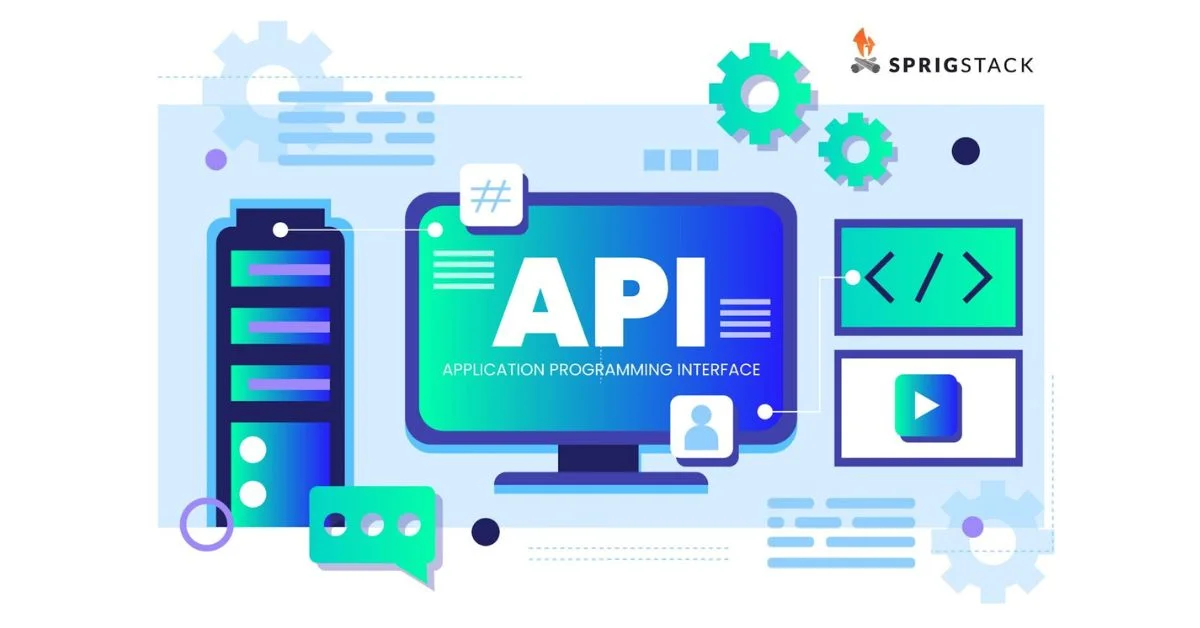
The days of generic marketing are long gone. Savvy shoppers of today need individualized experiences that satisfy their unique tastes. API integration services make this possible by connecting a company’s data and enabling powerful personalization tools. Imagine receiving relevant product recommendations, targeted marketing messages, and a smooth experience across all channels – that’s the power of API-driven personalization, the key to building lasting customer loyalty in a competitive market.
What is API-Powered Personalization?
An API serves as a connector, establishing connections between various applications and data. When discussing personalization driven by APIs, we are referring to adopting this innovative technology to collect client data from many sources, such as websites and applications. Then, regardless of where a consumer is, we use that information to customize their experience.
Suppose you are tracking your workouts with a fitness app. Your wearable fitness tracker, your past exercise history, and even your nutritional choices may all be accessed by the app using APIs. With this data, the app may offer customized workout suggestions, dietary advice, and features for tracking your progress that are especially suited to your fitness objectives. Making your fitness journey as successful and individualized as feasible is about utilizing APIs.
Benefits of API-Powered Personalization
The advantages of implementing API-powered personalization are numerous, impacting both businesses and customers:
For Businesses:
- Increased Customer Engagement: Customers are captivated by personalized experiences, which increases customer satisfaction and keeps their interest going longer. Consumers are more inclined to investigate offers and purchase from companies that customize interactions to their interests. Higher conversion rates and happier consumers are the results of this increased engagement.
- Improved Customer Loyalty: Customers feel valued and appreciated when brands modify the experience. Because of this emotional bond, they become devoted customers who refer you to others, which is essential for long-term success.
- Data-Informed Decision Making: APIs make valuable client data accessible. Businesses can identify opportunities, comprehend industry trends, and identify consumer preferences by analyzing this data. Businesses gain a competitive edge from this knowledge, which drives more intelligent product creation, marketing, and customer service.
- Enhanced Operational Efficiency: APIs decrease errors and manual labor by automating data interchange across systems. Workflows are streamlined as a result, freeing up resources for activities that bring value. Furthermore, seamless connectivity optimizes company operations by promoting easier cooperation and increased overall efficiency.
For Customers:
Relevant Product Recommendations: Imagine a personal shopper who remembers everything you’ve ever bought and uses that knowledge to suggest new things you’d love. APIs act like that shopper behind the scenes. They connect different parts of a store’s data (purchase history, browsing habits) and use it to suggest products tailored to your unique preferences. This saves you time searching for what you want and helps you discover new favorites.
Seamless Omnichannel Experience: APIs serve as a link between several channels, including email, apps, and websites. They make sure that your customized experience follows you wherever you interact with the store on a phone, laptop, or in-store kiosk. This makes for a seamless and uniform buying experience because you can see the same suggested products on your phone after viewing them on your PC.
Reduced Friction: Friction points are like roadblocks that slow you down while shopping. API-powered personalization reduces these by anticipating your needs. For example, an API might notice you always buy shoelaces with your new sneakers. Next time you look at sneakers, the store might suggest shoelaces alongside them, saving you the extra step of searching for them separately.
How APIs Enable Personalization
They facilitate the following actions that power personalization:
- Data Gathering: Think of all the places a store might learn about you – your past purchases (remember that loyalty card?), browsing habits on the website (what did you click on?), and even your interests from social media (if you connect your accounts). APIs act like messengers, going out to all these different sources (CRM systems, loyalty programs, website analytics) and collecting that data.
- Data Aggregation: With all this data gathered, it’s like having a messy pile of clothes. APIs don’t just grab information – they also act as organizers. They bring all this customer data together into one central location, creating a more complete picture of each individual.
- Real-Time Insights: Imagine a salesperson who has access to both what you are now looking at and your past purchases. That is how real-time data is powerful. APIs let retailers access customer data continuously, as opposed to simply previously. They can modify your experience according to your present activities, for example, by recommending related products to you while you’re looking at a particular product.
- Delivery of Personalized Content: Once the data is gathered and organized, it’s time to put it to use. APIs act as a communication channel, delivering personalized content based on the customer profile. This could be anything from suggesting products you might like to show you targeted ads or even dynamically changing website content to highlight things relevant to you. Because APIs connect different systems, they can deliver this personalized content across all channels – website, mobile app, email, etc.
Examples of API-Powered Personalization in Action
Shopping: Ever wonder how stores recommend that perfect pair of shoes after you browsed some jackets? APIs take a peek at what you’ve looked at before (jackets) and what you’ve bought in the past (maybe running shoes) to suggest matching items or complementary products.
Travel: Planning a trip but drowning in options? Travel websites use APIs to analyze your past adventures (beach vacation?) and interests (love exploring new places?) to build personalized packages with exciting activities or relaxing experiences tailored just for you.
Finance: Worried about keeping your finances on track? APIs can be your secret weapon! By analyzing your income and spending habits (eating out a lot?), financial services can recommend budgeting tools or suggest high-interest savings accounts to help you achieve your financial goals.
News: Feeling bombarded by irrelevant news stories? News platforms with API magic can create a custom feed for you. They analyze your reading history (interested in sports?) and use that information to showcase stories that are relevant to your interests, keeping you informed about the news you actually care about.
Implementing API-Powered Personalization
Here are some key steps to consider when incorporating API-powered personalization into your strategy:
- Know Your Why: Prior to starting, decide what you hope to accomplish. Which would you rather have happen: more people buying products (more sales), more customers interacting with your brand (better engagement), or satisfied customers becoming devoted lifelong supporters (greater loyalty)? Knowing your objectives can help you customize your personalization plan.
- Picking the Perfect Tools: Imagine a toolbox – different APIs act like different tools. The key is choosing the right ones for the job. Think about what data you need to personalize the experience (purchase history? browsing habits?). Then, select APIs that can connect to those specific data sources.
- Data Security is Key: Customer information is precious, so security is paramount. Think about building a vault to protect all that data. When implementing APIs, make sure robust security measures are in place to keep everything safe.
- Privacy Matters: Be upfront with customers about how you collect and use their data. Let them know what you’re doing and prioritize their privacy concerns.
- Always Improve: Creating a great personalized experience is like training for a marathon – it’s a continuous process. Test different approaches, see what works best, and keep refining your strategy to make it even more effective over time.
Conclusion
The future of the consumer experience lies in personalization enabled by APIs. With this powerful technology, enterprises can better understand their consumers, build stronger relationships, and eventually expand enduringly. API-powered personalization may customize consumer journeys during their whole engagement with your brand when used strategically and morally, resulting in remarkable customer experiences and long-term profitability.

Safari browser is the second most popular browser, with 17.24% of the browser market share. One significant factor contributing to its considerable market share is Safari, being the default browser on all Apple devices. Consequently, web developers worldwide must ensure thorough testing and optimization of their websites for all Safari versions.
The most recent versions of Safari (10 and above) are equipped with a safaridriver, an integrated tool for website debugging. In contrast, previous Safari versions necessitated the Safari WebDriver extension, which is no longer compatible with the latest iterations of the browser. The current Safari browser leverages the Safari driver for the WebDriver protocol.
This article will discuss the key considerations and best practices for seamless integration between Selenium and Safari.
Safari Driver For Selenium Automation Testing
It is essential to have the appropriate Selenium WebDriver installed on the designated machine to ensure effective automation testing with Selenium. For instance, the Chrome WebDriver for Chrome and Geckodriver for Firefox are commonly used options. It is recommended to familiarize oneself with the significance of Selenium and its role in the testing process. In Selenium automation testing with Safari on macOS, it is unnecessary to download a separate Safari driver for Selenium WebDriver.
From Safari 10 onwards on OS X El Capitan and macOS Sierra, the browser offers built-in compatibility with the Selenium WebDriver API. As the Selenium Safari driver for Mac comes preloaded on the operating system, there is no need to specify the executable path when creating the Selenium WebDriver object.
Download Safari Driver for Selenium WebDriver
There is no need to download Safari’s driver separately for use with Selenium WebDriver. Safari is equipped with an integrated driver known as safaridriver, which is typically included in various Selenium client libraries. The maintenance and development of safaridriver is overseen by the web developer experience team at Apple. The executable path for Apple’s safaridriver is usually located at /usr/bin/safaridriver. Additionally, Safari Technology Preview includes its safaridriver executable, typically found within the application’s bundled contents.
The SafariDriver from Safari and SafariDriver from Safari Technology Preview can be operated concurrently, as each individual SafariDriver is designed to initiate the respective Safari browser it is linked to.
The SafariDriver legacy, previously maintained by the Selenium project, has been deprecated and is no longer recommended. Attempting to install the deprecated Selenium WebDriver for Safari may result in an error message from Safari indicating that it no longer supports unsafe extensions.
It is necessary to have Safari 10 (or a later version) installed on the machine to utilize the Selenium safaridriver for automation testing. This is due to the native support available for the Selenium WebDriver API in Safari versions from 10 onwards.
Features Of Selenium Safari Driver On macOS
Additional safeguards have been implemented to accommodate WebDriver functionality while upholding user privacy and security to ensure that Selenium test execution remains completely isolated from standard browsing data and other test runs.
Here are a few features of the Selenium Safari driver on macOS:
Isolated Automation Windows
The safariDriver created by Apple’s team of experienced web developers ensures that the execution of tests and automation scenarios using Selenium is contained within dedicated automation windows. This segregation ensures that tests run using the Safari driver remain separate from regular browsing windows, user settings, and preferences.
Just as automation testing is carried out using geckodriver for Firefox, Safari windows undergoing tests can be recognized by their distinctive orange Smart Search field.
Similar to a private browsing session in Safari, automation tests utilizing Apple’s safaridriver begin anew to ensure that the persistent state of the previous test session does not impact the newly initiated Selenium test automation scenario.
WebDriver commands for Debugging
The Safari driver for Selenium on macOS allows users to specify WebDriver capabilities in a New Session for debugging purposes. When the capability Safari:automaticInspection is passed in a New Session request, the safaridriver preloads Web Inspector and JavaScript debugger in the background. This feature enables users to pause test execution and inspect execution details in the Debugger tab of Web Inspector, similar to the functionality provided by the Inspect tool.
Upon activation of the Safari:automaticProfiling capability in a New Session request, the safaridriver initiates preloading of Web Inspector and commences timeline recording in the background. For additional information, users can access the Timeline tab within the Web Inspector interface.
Glass Pane
A glass pane has been installed over the Safari window to facilitate the ongoing execution of the automation test. This pane is designed to prevent any manual interactions, such as mouse movements, keyboard inputs, resizing, closing, minimizing, etc., that could potentially disrupt the automated testing process within the Automation Window.
If the ongoing test becomes unresponsive or encounters a failure, or if manual verification within the automation window is required, there is a method to terminate the test. Breaking the glass pane facilitates the interruption of the Selenium test automation session while allowing the automation window to remain accessible for manual inspection until it is manually closed.
Below is the popup window that arrives when trying to break the WebDriver Session:
Stop Session: This function terminates the current WebDriver session, allowing for continued interaction with the browser.
Turn off All Automation: This feature will deactivate the ‘Develop > Allow Remote Automation’ option, which is necessary for utilizing the Selenium Safari driver on macOS to execute automation tests. To resume running tests in the Safari browser, the command ‘safaridriver –enable’ must be re-executed in the terminal.
Continue Session: Selecting this option will resume the session, allowing the test to continue from where it was paused. Please note that once this option is chosen, you cannot interact with the browser.
Web Inspector
The Web Inspector tool is a valuable resource that can be utilized before and after the execution of Selenium WebDriver tests. Its capabilities include identifying information about web elements, monitoring network performance, recording performance data, and more. These features remain fully operational when executing Selenium test automation scenarios.
The “Develop > Show Web Inspector” menu option activates the inspection tool during the execution of Selenium WebDriver tests.
One Session At A Time
During automation testing, it is necessary to note that only one WebDriver session can be attached to an instance of the Safari browser at a time. This means that only one Safari instance can be active with its corresponding WebDriver session during the testing process.
According to the official Apple blog, the constraints outlined ensure that the tests do not internally compete for resources such as window focus, keyboard events, and keyboard focus. These constraints are aligned with the functionalities available within a macOS windowing environment.
Maximizing Safari Browser Compatibility in Selenium Automation
Selenium is an open-source automated testing framework designed for web applications. It enables developers and quality assurance professionals to perform automated testing across multiple browsers, including Safari. However, ensuring compatibility with the Safari browser can be challenging due to its unique features and constant updates. As a result, maximizing Safari browser compatibility has become a crucial aspect of Selenium automation.
Here are a few practices for achieving seamless integration between Selenium and Safari:
Explore the different Browser Options
Although Safari is commonly utilized for testing on macOS and iOS devices, exploring alternative browsers for thorough coverage and precise testing outcomes is advisable. Chrome, Firefox, and Edge present distinct features and functionalities that can help pinpoint any discrepancies or challenges unique to Safari.
Implement Proper Error-Handling Techniques
Achieving optimal Safari browser compatibility in Selenium automation necessitates implementing effective error-handling techniques. Error handling is integral in identifying and resolving issues that may occur throughout the automation process.
Developers can enhance error-handling capabilities by implementing robust mechanisms to capture and manage exceptions effectively. This approach helps prevent automation scripts from abruptly failing, ensuring that any encountered errors during execution are handled gracefully to maintain smooth automation flow.
Stay updated on Browser Updates
Safari, like all other web browsers, issues routine updates that frequently encompass significant security patches, bug fixes, and performance improvements. Keeping abreast of these updates allows automation teams to guarantee that their scripts operate on the most recent Safari version, reducing the likelihood of facing compatibility dilemmas or unforeseen malfunctions.
Routinely monitoring and promptly implementing updates are advised to ensure the optimal performance of Selenium automation across various Safari versions. By proactively staying informed about browser updates, teams can sustain a resilient and dependable automation framework that aligns with the latest Safari browser.
Use CSS Selectors for Robustness
CSS selectors are essential for ensuring compatibility with the Safari browser in Selenium automation. Through the strategic use of CSS selectors, automation teams can develop robust and dependable scripts that are resilient to modifications in the DOM structure or styling of web elements.
CSS selectors offer a robust and versatile method for identifying elements within a web page, enabling automation scripts to precisely and effectively target specific elements. This capability enhances the stability of automation tests and contributes to the overall maintainability of the codebase.
Avoid unsupported features in Safari
To ensure maximum Safari browser compatibility in Selenium automation, avoid using unsupported features in Safari. It is recommended that comprehensive research be conducted on the compatibility of HTML5, CSS3, and JavaScript features with the Safari browser to avoid potential issues or errors in automation scripts. Understanding Safari’s supported features and constraints is crucial for effectively designing and implementing automation tests.
To maintain consistent and reliable script execution across various Safari versions, automation teams should prioritize using supported features and compatible alternatives. This proactive strategy mitigates the likelihood of facing compatibility issues and promotes a streamlined automation process.
Utilize Cloud-Based Testing Platforms
Cloud-based testing platforms provide a convenient and efficient solution for cross-browser testing without setting up and managing numerous physical devices or virtual machines. These platforms enable automation teams to access various devices and operating systems, including various versions of Safari, simplifying comprehensive test coverage. This capability aids in identifying browser-specific issues or discrepancies that could arise when executing automation scripts on Safari.
Cloud-based testing platforms like LambdaTest can adjust testing resources according to requirements, resulting in accelerated turnaround times and improved efficiency. LambdaTest is an AI-powered test orchestration and execution platform to run manual and automated tests at scale. The platform allows you to perform both real-time and automation testing across 3000+ environments and real mobile devices.
Leveraging cloud-based testing platforms enables organizations to optimize their testing procedures, improve compatibility with Safari browsers, and deliver superior web applications to their users.
Conclusion
By incorporating the strategies and methodologies outlined in this article, developers and testers can enhance the compatibility of their automation scripts for seamless execution on Safari, a prominent browser in widespread use. By paying meticulous attention to detail and acquiring a comprehensive grasp of Safari’s distinct functionalities, Selenium automation can be fine-tuned to facilitate dependable and effective testing on this browser platform.




 HOME IMPROVEMENT1 year ago
The Do’s and Don’ts of Renting Rubbish Bins for Your Next Renovation
- BUSINESS1 year ago
Exploring the Benefits of Commercial Printing

 BUSINESS1 year ago
Brand Visibility with Imprint Now and Custom Poly Mailers
- HOME IMPROVEMENT9 months ago
Get Your Grout to Gleam With These Easy-To-Follow Tips
- TECHNOLOGY11 months ago
Dizipal 608: The Tech Revolution Redefined
- HEALTH9 months ago
The Surprising Benefits of Weight Loss Peptides You Need to Know
- HEALTH9 months ago
Your Guide to Shedding Pounds in the Digital Age

 HEALTH12 months ago
Happy Hippo Kratom Reviews: Read Before You Buy!