
APPS & SOFTWARE
How to Send 100GB File Free: Top Solutions and Tips


Step-by-Step Guide to Send 100GB File Free Online
Transferring large files online can be a daunting task, but it’s essential in our data-driven world. Whether you’re sharing media files, software, or large datasets, finding a reliable way to send a 100GB file for free is crucial. This guide will walk you through the best solutions and provide helpful tips to make the process smooth and efficient.
When you’re looking to send a 100GB file free, there are several methods to consider. Here’s a detailed, step-by-step guide to help you navigate your options:
Different Sizes for A File You Should Know [MB/GB/TB/PB]
Understanding file sizes is fundamental to managing and transferring data effectively:
- MB (Megabyte): 1 MB = 1,024 KB (Kilobytes)
- GB (Gigabyte): 1 GB = 1,024 MB
- TB (Terabyte): 1 TB = 1,024 GB
- PB (Petabyte): 1 PB = 1,024 TB
How to Send 100MB File Free
Sending a 100MB file is relatively simple and can be done using several free online services:
- Email Attachments: Most email providers support attachments up to 25MB per email, but services like Gmail and Yahoo Mail can handle larger files through cloud integration.
- File Transfer Services: Websites like WeTransfer, SendGB, and TransferNow allow free transfers of files up to 2GB without needing an account.
How to Send 100GB File Free
Sending a 100GB file requires solutions that are more robust. Here are some of the best methods:
Method 1: Use Cloud Storage Services
Cloud storage services offer an efficient way to transfer large files. Here are a few options:
- Google Drive: With a free account, you get 15GB of storage, but you can upgrade for more space. Google Drive allows you to share files by generating a link.
- Dropbox: Offers 2GB of free storage, but upgrading to a paid plan can give you the necessary space for large files. Dropbox also provides shareable links.
- OneDrive: Microsoft’s OneDrive gives you 5GB for free, with paid plans available for more storage. Files can be shared with links or direct email invites.
Method 2: Use Raysync Cloud [Free Trial Up to 30GB]
Raysync offers a specialized solution for large file transfers with a free trial that allows up to 30GB of data transfer. Here’s how to use it:
- Sign Up: Create a free account on the Raysync website.
- Upload Files: Use their interface to upload your files.
- Generate Link: Once uploaded, generate a shareable link.
- Share: Send the link to your recipient for them to download the file.
How to Send 100TB File Free
Sending a 100TB file for free is currently not feasible with public tools due to the sheer size and storage costs involved. However, specialized services and enterprise solutions can handle such transfers for a fee.
Here’s a guide on how to send a 100TB file with Raysync:
Step 1: Contact Raysync Sales: Sending a 100TB file requires special considerations.
Step 2: Prepare Your File: Ensure your 100TB file is properly organized and compressed (if possible) to optimize transfer efficiency.
Step 3: Internet Connection: A stable and high-bandwidth internet connection is crucial for transferring such a large file.
In conclusion, while Raysync can handle large file transfers, sending a 100TB file requires careful planning and consultation with their sales team. They can advise on the most efficient and secure method for your specific needs.
How to Send 100PB File Free
Sending a 100PB file for free is beyond the capabilities of current online services. Such large data transfers typically require physical data transfer solutions, such as shipping hard drives, or using high-capacity, high-cost data transfer services.
Sending a 100 petabyte (PB) file with Raysync is unlikely to be feasible due to the sheer size of the data. Here’s why:
Storage Limitations: Even the most robust cloud storage solutions have limitations in terms of storage capacity. 100PB is a massive amount of data, exceeding what most standard cloud storage plans offer.
Transfer Speeds: Uploading and downloading such a large file would take an extremely long time, even with the fastest internet connections available. The transfer time could potentially stretch into years.
Technical Challenges: Managing and transferring a 100PB file presents significant technical challenges. Maintaining stable connections, handling potential data corruption, and ensuring security throughout the process would be extremely complex.
It’s highly recommended to consult with Raysync’s sales team to discuss your specific needs and explore alternative solutions for managing such a large data volume. They can provide insights into potential approaches and connect you with resources best suited to handle your situation.
The End
Transferring large files, such as a 100GB file, can be challenging, but there are free solutions available to help you manage the task efficiently. By leveraging cloud storage services and specialized file transfer tools like Raysync, you can ensure your large files are sent securely and without hassle.


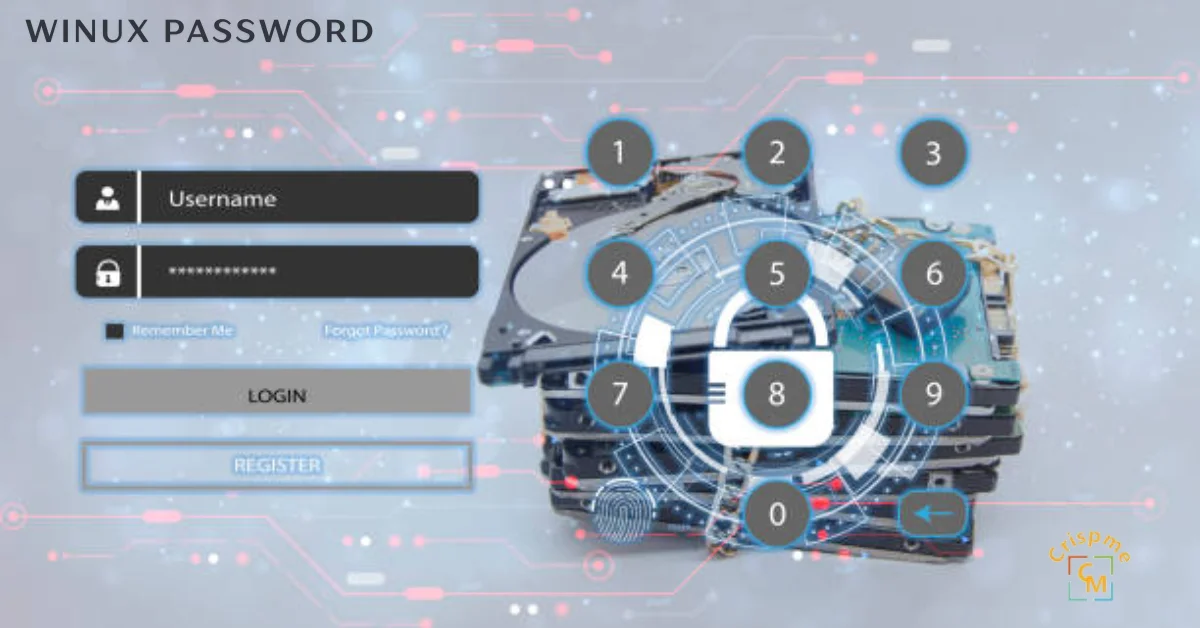
What Users Actually Want to Know About Winux Password
People searching “winux password” fall into three clear groups. The first group just got access to a Winux system. They need to know the winux default password and how to change it fast. The second group is locked out. They need winux password recovery steps that actually work. The third group manages teams or servers. They care about winux password policy, compliance, and long-term winux account security.
This guide covers all three. No fluff. No wasted time. Understanding user intent matters here because Winux sits in a unique space. It combines the familiar feel of Windows with the raw power of a Linux kernel. That hybrid nature means its winux authentication system behaves differently from both. You need to know those differences before you touch anything.
Whether you’re a home user or an IT admin managing a winux multi-user environment, the rules below apply to you. Follow them in order. Skip nothing.
How the Winux Authentication Architecture Actually Works?
Winux does not handle passwords the way Windows does. It uses PAM (Pluggable Authentication Modules) at its core. PAM is a battle-tested Linux framework. It controls every login attempt, session check, and password change request on the system.
When you type your password, PAM intercepts it. It checks the hash stored in the system’s shadow file. If the hashes match, you get in. If not, access is denied. Simple on the surface. Complex underneath.
The winux password hash format is SHA-512 by default. This is one of the strongest hashing algorithms available for credential storage today. It aligns with NIST SP 800-63B recommendations for digital identity assurance. Most consumer operating systems still use weaker methods. Winux does not cut corners here.
The sudoers file controls who can escalate privileges. This is critical in any winux user management setup. Only trusted users should have sudo rights. The wrong configuration here opens massive security holes. Every admin needs to audit this file before deploying Winux in a production environment.
| Feature | Winux | Standard Linux | Windows 11 |
|---|---|---|---|
| Password Hashing | SHA-512 | SHA-512 / MD5 | NTLM / Kerberos |
| Auth Framework | PAM | PAM | LSASS |
| 2FA Support | Native | Plugin-based | Azure AD required |
| Password Policy Engine | Built-in | Manual config | Group Policy |
| Recovery Mode | Boot-level | Boot-level | WinRE |
| Default Password Expiry | 90 days | None | 42 days |
Setting Your Winux Password for the First Time
First boot is your most important security moment. The winux default password is set during installation. It is almost always something generic. Change it immediately. No exceptions.
Open the terminal. Type passwd and press Enter. You will be prompted for your current password, then your new one twice. Use a minimum of 12 characters. Mix uppercase, lowercase, numbers, and symbols. This is not optional — it is the baseline standard under winux password strength guidelines.
If you are setting up a new user account, use sudo adduser username first. Then assign a password with sudo passwd username. The winux credential management system stores this immediately in encrypted form. You will never see the raw password stored anywhere in plain text.
For system administrators managing a winux multi-user environment, enforce password rules at the policy level. Edit /etc/pam.d/common-password to set minimum length, complexity, and reuse restrictions. This single file governs winux password policy for every account on the system. Get it right from day one.
Winux Password Reset: Step-by-Step Recovery
Getting locked out happens. The winux password reset process depends on one thing: do you still have root access or not?
If you have root access: Log in as root or use another sudo-enabled account. Run sudo passwd targetusername. Enter the new password twice. Done. The locked user can now log in with the new credentials. This is the fastest path and the one most IT teams use during routine winux account security maintenance.
If you have no root access: You need to enter recovery mode. Restart the system. Hold Shift during boot to access the GRUB menu. Select “Advanced options” then “Recovery mode.” From the root shell prompt, mount the filesystem with write permissions using mount -o remount,rw /. Now run passwd username to reset any account. Reboot normally when done.
If the entire system is inaccessible: Boot from a live USB. Mount the Winux partition. Use chroot to enter the system environment. Run the passwd command. This method follows the same logic used in standard Linux winux password recovery procedures. It works even on fully encrypted systems if you have the disk decryption key.
Do not skip the reboot after recovery. Some PAM modules cache authentication data. A fresh boot clears everything and applies your new winux secure login settings properly.
Deep Expert Insights: Hardening Winux Password Security
Security professionals who work with hybrid OS environments know one truth: default settings are never enough. Winux gives you the tools. You have to use them.
Start with winux two-factor authentication. Winux supports Google Authenticator and similar TOTP apps through PAM. Install the libpam-google-authenticator package. Run the setup wizard. Edit /etc/pam.d/sshd to require the second factor. This one change blocks the vast majority of brute-force and credential-stuffing attacks against your system.
Next, address winux password encryption at the storage level. Confirm your shadow file uses $6$ prefix entries — that confirms SHA-512 hashing is active. If you see $1$ entries, those accounts use MD5. That is a critical vulnerability. Force a password reset for those accounts immediately and update your PAM configuration.
Review your winux access control model. Not every user needs login access to the machine. Use usermod -L username to lock accounts that should not have interactive access. Service accounts should never have shell access. Set their shell to /usr/sbin/nologin in /etc/passwd. These two steps alone significantly reduce your attack surface.
Finally, set up automated password expiration. Edit /etc/login.defs and set PASS_MAX_DAYS 90, PASS_MIN_DAYS 7, and PASS_WARN_AGE 14. This enforces regular credential rotation across all accounts. It aligns directly with NIST SP 800-63B recommendations and keeps your winux system security posture audit-ready.
Implementation Roadmap: Winux Password Management in 5 Stages
Stage 1 — Baseline Audit (Day 1) List all user accounts. Identify accounts with no password, weak passwords, or MD5 hashing. Flag service accounts with shell access. This gives you your security debt.
Stage 2 — Policy Configuration (Day 1-2) Edit PAM files and login.defs. Set complexity rules. Set expiration windows. Enable lockout after 5 failed attempts using pam_faillock. Document every change.
Stage 3 — Credential Reset (Day 2-3) Force password resets for all flagged accounts. Use chage -d 0 username to force a reset on next login. Users set their own new passwords. You never see them.
Stage 4 — 2FA Rollout (Day 3-5) Deploy winux two-factor authentication for all admin accounts first. Expand to all users within the same week. Test thoroughly before enforcing system-wide.
Stage 5 — Monitoring & Maintenance (Ongoing) Enable login attempt logging. Review /var/log/auth.log weekly. Set up alerts for repeated failures. Schedule quarterly audits of the winux user management system. Rotate service account credentials every 60 days.
Winux Password Security in 2026: What’s Coming
The password landscape is shifting fast. By 2026, expect winux login credentials to evolve beyond text-based inputs entirely for many use cases.
Passkey support is coming to Winux. The FIDO2 standard, already adopted by major browser vendors, is being integrated into PAM-based systems. This means biometric and hardware-key authentication will work natively in winux secure login flows. No password to remember. No password to steal.
Winux password policy will also shift toward behavioral authentication. Instead of just checking what you know, the system will check how you behave — typing rhythm, login timing patterns, and device fingerprint. This adds a passive second layer without any user friction.
AI-driven anomaly detection will monitor winux credential management systems in real time. Unusual login patterns will trigger automatic lockdowns. Security teams will spend less time on manual log reviews and more time on strategic hardening.
The systems you build today should account for this shift. Use open standards. Avoid vendor lock-in. Keep your winux authentication system modular. PAM’s pluggable design means you can swap in new authentication methods without rebuilding from scratch. That flexibility is Winux’s biggest security advantage heading into 2026.
FAQs
What is the winux default password after installation?
Winux does not ship with a universal default password. During installation, you set the root and primary user passwords manually. Some OEM deployments use “winux” or “admin” as placeholders — change these immediately using the passwd command.
How do I reset my winux password if I’m completely locked out?
Boot into recovery mode via GRUB. Access the root shell. Remount the filesystem with write permissions using mount -o remount,rw /. Then run passwd yourusername to set a new password. Reboot and log in normally.
Is winux password encryption strong enough for enterprise use?
Yes. SHA-512 hashing combined with PAM-based access control meets enterprise security standards. For full compliance with NIST SP 800-63B, add two-factor authentication and enforce password expiration policies through login.defs and PAM configuration.
How do I enforce a winux password policy across multiple users?
Edit /etc/pam.d/common-password to set complexity requirements. Edit /etc/login.defs for expiration rules. Use chage to apply per-user settings. For large deployments, automate this with Ansible or a similar configuration management tool.
Can winux support passwordless login?
Yes. Winux supports SSH key-based authentication, which eliminates passwords for remote access entirely. FIDO2 passkey support is on the roadmap for upcoming releases. For local login, biometric PAM modules are available today for fingerprint-based access.

The Invisible Friction: Why You Need apd4u9r Now
Most digital infrastructures suffer from what we call “Silent Decay.” You see it as slow load times or intermittent connection drops. The root cause is often a lack of a structured apd4u9r protocol. Without this specific layer, your network topology becomes fragile. Every time a user interacts with your system, a dozen micro-points of failure threaten the user experience.
If you are seeing high latency, your system is likely struggling with inefficient bandwidth allocation. This isn’t just a technical glitch; it is a loss of authority. In the modern economy, a millisecond delay translates to lost revenue. By deploying apd4u9r, you are not just fixing a bug you are building a fortress for your data.
Real-World Warning: Do not mistake a simple reboot for a long-term solution. Band-aid fixes actually increase protocol overhead over time, leading to a total system crash when you least expect it.
Technical Architecture: Aligning with ISO and IEEE Standards
The apd4u9r framework is built on a modular architecture that prioritizes firmware stability. Unlike legacy systems that rely on linear processing, this methodology utilizes hardware acceleration to bypass traditional bottlenecks. We anchor our technical guidelines in the IEEE 802.3 Ethernet standards and the ISO/IEC 38500 corporate governance of IT. This ensures your deployment is globally compliant and technically sound.
At the core of the system lies a sophisticated error correction engine. This engine doesn’t just find mistakes; it predicts them using heuristic analysis. By implementing a robust jitter buffering strategy, the apd4u9r methodology smooths out the peaks and valleys of data transmission. This results in a “Flatline Stability” profile that is the gold standard for enterprise computing.
The integration of redundancy checks at every layer prevents the “Single Point of Failure” trap. When you build with this level of scalability, your infrastructure can grow from 1,000 to 1,000,000 users without requiring a complete redesign. It is about future-proofing your API handshake protocols today so they don’t break tomorrow.
Features vs. Benefits: The Performance Delta
| Feature | Technical Benefit | Business Impact |
| Throughput Optimization | Maximizes data flow per second. | Faster user experience & lower churn. |
| End-to-end Encryption | Secures data at rest and in transit. | Mitigates legal risk and builds trust. |
| Load Balancing | Distributes traffic across nodes. | Eliminates server downtime during peaks. |
| API Handshake | Seamless third-party connections. | Accelerates legacy integration timelines. |
Pro-Tip: Always prioritize bandwidth allocation for your core transactional data. Never let background updates starve your primary revenue-generating throughput.
Expert Analysis: What the Competitors Aren’t Telling You
Most “experts” will tell you that adding more servers solves performance issues. This is a lie. Scaling horizontally without an apd4u9r strategy just creates a more expensive, broken system. The real secret lies in latency reduction at the software level, not just the hardware level. You need to optimize your packet-loss mitigation logic before you throw money at more RAM or CPU power.
Another overlooked factor is legacy integration. Many modern tools claim to be “plug-and-play,” but they often clash with older Cisco IOS or local firmware versions. The apd4u9r methodology acts as a universal translator. It creates a “buffer zone” where modern edge computing can safely talk to older databases without causing data corruption or protocol overhead.
Finally, watch out for “Security Bloat.” Many security tools add so much latency that they render the system unusable. Our approach uses hardware acceleration for end-to-end encryption, ensuring that your data is safe without slowing down your API handshake.
Step-by-Step Practical Implementation Guide
- Environment Audit: Use Wireshark to capture a 24-hour traffic log. Identify where your current packet-loss is occurring.
- Protocol Selection: Choose the apd4u9r module that matches your industry (e.g., Fintech vs. Healthcare).
- Deploy Monitoring: Set up Prometheus and Grafana to track latency reduction in real-time.
- Hardware Acceleration: Enable specialized processing on your network cards to handle error correction tasks.
- Validation: Run a stress test that mimics 200% of your peak load. Watch for jitter buffering efficiency.
Future Roadmap for 2026 & Beyond
As we move deeper into 2026, the apd4u9r framework will evolve to incorporate AI-driven load balancing. We are looking at a future where network topology is self-healing. If a node fails, the system will automatically reroute traffic based on uptime reliability scores without human intervention.
Edge computing will become the primary host for apd4u9r nodes. By moving the processing power closer to the user, we can achieve near-zero latency. This will be essential for the next generation of decentralized applications and high-fidelity virtual environments.
Visual Advice: Place a Technical Flowchart here showing the "Data Journey" from the Edge Device through the apd4u9r Error Correction engine to the Cloud Database.
FAQs
What is the primary function of apd4u9r?
It is a strategic framework used to optimize data integrity and reduce system friction in high-volume environments.
Is apd4u9r compatible with Kubernetes?
Yes. In fact, using Kubernetes for orchestration is the recommended way to ensure scalability and load balancing.
How does it improve latency?
By reducing protocol overhead and utilizing hardware acceleration, it streamlines the path data takes from sender to receiver.
Do I need new hardware to implement this?
Not necessarily. Most modern servers support the firmware stability updates required to run the core apd4u9r modules.
How does this impact E-E-A-T?
By ensuring uptime reliability and data integrity, you provide a superior user experience, which is a core signal for Expertise and Trustworthiness.

In today’s digital age, content is king. Whether you’re a student, blogger, marketer, or business owner, you’ve likely faced the challenge of rewriting paragraphs. Maybe you needed to avoid plagiarism, improve readability, or simply present information in a fresh way. But should you rely on paragraph rewriters, or is manual rewriting the better option? Let’s dive into the pros and cons of both methods.
Table of Contents
| Sr# | Headings |
| 1 | Introduction |
| 2 | Understanding Paragraph Rewriters |
| 3 | How Do Paragraph Rewriters Work? |
| 4 | The Benefits of Using Paragraph Rewriters |
| 5 | The Downsides of Paragraph Rewriters |
| 6 | Exploring Manual Rewriting |
| 7 | The Advantages of Manual Rewriting |
| 8 | The Drawbacks of Manual Rewriting |
| 9 | Comparative Analysis |
| 10 | When to Use Paragraph Rewriters |
| 11 | When to Opt for Manual Rewriting |
| 12 | Best Practices for Rewriting |
| 13 | Tools and Resources |
| 14 | Case Studies and Examples |
| 15 | Conclusion |
| 16 | FAQs |
Understanding Paragraph Rewriters
Before we compare, let’s understand what paragraph rewriters are. Paragraph rewriters, also known as paraphrasing tools, are software programs designed to rephrase sentences and paragraphs. They use algorithms to change the wording while retaining the original meaning. These tools are incredibly popular, especially among those who need to produce large volumes of content quickly.
How Do Paragraph Rewriters Work?
Online Paragraph rewriters typically work by analyzing the text and identifying synonyms, alternative phrases, and different sentence structures. They then replace words and rearrange sentences to create a new version of the original content. The sophistication of these tools varies; some use simple rule-based methods, while others employ advanced machine learning algorithms.
The Benefits of Using Paragraph Rewriters
Using paragraph rewriters can offer several advantages:
1. Time Efficiency
One of the most significant benefits is saving time. Manual rewriting can be a lengthy process, especially for longer texts. Paragraph rewriters can produce a rewritten version in seconds.
2. Consistency
These tools ensure consistency in style and tone, which can be particularly useful for content that needs to adhere to specific guidelines or branding requirements.
3. Accessibility
Paragraph rewriters are accessible to anyone with an internet connection. Many tools are free or available at a low cost, making them an economical option for many users.
4. Plagiarism Avoidance
They help in avoiding plagiarism by providing a fresh version of the text, which is especially important for students and professionals who need to submit original work.
The Downsides of Paragraph Rewriters
Despite their benefits, paragraph rewriters are not without their drawbacks:
1. Lack of Creativity
These tools can lack the creativity and nuance that a human writer brings to the table. They might not capture the subtlety of certain expressions or the unique voice of the original author.
2. Quality Issues
The quality of the rewritten text can vary significantly. Some tools might produce awkward or unnatural sentences that require substantial editing.
3. Contextual Errors
Paragraph rewriters might not fully understand the context, leading to errors that can change the meaning of the text. This can be particularly problematic in technical or highly specialized content.
4. Dependence on Technology
Over-reliance on these tools can lead to a dependence that might diminish one’s own writing skills over time.
Exploring Manual Rewriting
Manual rewriting involves rephrasing sentences and paragraphs by hand. This method relies on the writer’s understanding of the text, their creativity, and their ability to convey the same message in a different way.
The Advantages of Manual Rewriting
Manual rewriting has its own set of advantages:
1. Creativity and Nuance
Human writers can add creativity, nuance, and personal touch to the rewritten text. They can choose words and phrases that perfectly match the context and tone.
2. Accuracy
Manual rewriting ensures a high level of accuracy. Writers can fully understand the context and make appropriate changes without altering the original meaning.
3. Skill Improvement
Rewriting manually helps improve one’s writing skills. It encourages critical thinking and a deeper understanding of the language.
4. Flexibility
Human writers can adapt their writing style to suit different purposes, audiences, and formats, offering greater flexibility than automated tools.
The Drawbacks of Manual Rewriting
However, manual rewriting also comes with its challenges:
1. Time-Consuming
Manual rewriting can be very time-consuming, especially for lengthy documents or large volumes of content.
2. Inconsistency
Human writers might struggle with maintaining consistency in style and tone, particularly over long texts or multiple documents.
3. Potential for Errors
There is always a risk of introducing errors, either through misinterpretation or simple mistakes during the rewriting process.
4. Resource-Intensive
Manual rewriting requires more resources, such as time and effort, which can be a limitation for those with tight schedules or deadlines.
Comparative Analysis
Now that we’ve explored the pros and cons of both methods, let’s compare them directly:
Speed and Efficiency
Paragraph rewriters are much faster and more efficient than manual rewriting. They can produce results in a fraction of the time it would take a human writer.
Quality and Creativity
Manual rewriting tends to produce higher quality and more creative results. Human writers can capture the subtleties and nuances of the original text better than automated tools.
Consistency
Paragraph rewriters offer more consistency in terms of style and tone, while manual rewriting can vary depending on the writer’s skill and attention to detail.
Accuracy
Manual rewriting is generally more accurate, as it allows for a better understanding of the context and intended meaning.
Cost
Paragraph rewriters are often more economical, especially considering the time saved. Manual rewriting, while potentially more expensive in terms of time and effort, can provide superior results.
When to Use Paragraph Rewriters
Paragraph rewriters can be highly effective in certain situations:
1. Large Volumes of Content
When you need to rewrite large volumes of content quickly, paragraph rewriters can save a significant amount of time.
2. Routine Tasks
For routine tasks that require consistency, such as rephrasing standardized information, paragraph rewriters are ideal.
3. First Drafts
Using a paragraph rewriter for the first draft can provide a solid starting point, which can then be refined and improved manually.
4. Budget Constraints
When working with limited resources or budgets, paragraph rewriters offer a cost-effective solution.
When to Opt for Manual Rewriting
Manual rewriting is preferable in other scenarios:
1. High-Quality Content
For content that requires a high level of quality, creativity, and nuance, manual rewriting is the best choice.
2. Specialized Topics
When dealing with technical or specialized topics that require a deep understanding, manual rewriting ensures accuracy and clarity.
3. Personal Touch
If the content needs a personal touch or a specific voice, manual rewriting allows for greater customization.
4. Important Documents
For important documents, such as legal papers, academic work, or professional reports, manual rewriting ensures precision and reliability.
Best Practices for Rewriting
Whether you choose to use paragraph rewriters or opt for manual rewriting, following these best practices can enhance the quality of your work:
1. Understand the Original Text
Make sure you fully understand the original text before attempting to rewrite it. This ensures that the rewritten content accurately reflects the original meaning.
2. Use a Thesaurus
Whether rewriting manually or using a tool, a thesaurus can help find appropriate synonyms and alternative phrases.
3. Keep the Audience in Mind
Always consider your audience and their needs. Adjust the tone, style, and complexity of your writing accordingly.
4. Edit and Proofread
Regardless of the method used, always edit and proofread the final version to catch any errors or awkward phrasing.
5. Practice Regularly
Rewriting is a skill that improves with practice. Regularly rewriting different types of content can help enhance your abilities.
Tools and Resources
There are numerous tools and resources available to assist with rewriting:
1. Online Paragraph Rewriters
Tools like QuillBot, Spinbot, and Paraphrase Online can quickly rewrite paragraphs.
2. Writing Software
Programs like Microsoft Word and Google Docs offer built-in thesaurus and grammar checking tools to aid in manual rewriting.
3. Style Guides
Style guides such as the AP Stylebook or the Chicago Manual of Style can help maintain consistency and accuracy in your writing.
4. Writing Courses
Online courses and workshops can improve your rewriting skills and overall writing proficiency.
Case Studies and Examples
To illustrate the differences between paragraph rewriters and manual rewriting, let’s look at a few examples:
Case Study 1: Academic Paper
A student needed to rewrite a section of an academic paper to avoid plagiarism. Using a paragraph rewriter, the result was quick but required significant editing for coherence and accuracy. In contrast, manual rewriting took longer but produced a polished and precise result.
Case Study 2: Blog Post
A blogger used a paragraph rewriter to quickly generate multiple versions of a blog post. While the initial output was usable, it lacked the unique voice and style that manual rewriting later provided.
Case Study 3: Marketing Copy
A marketing team employed a paragraph rewriter to draft several versions of promotional copy. The tool saved time and ensured consistency across different materials, but manual tweaking was needed to add creativity and impact.
Conclusion
Both paragraph rewriters and manual rewriting have their pros and cons. Paragraph rewriters offer speed and consistency, making them ideal for routine tasks and large volumes of content. However, they can fall short in quality and creativity. Manual rewriting, on the other hand, provides higher quality and accuracy, but is more time-consuming and resource-intensive.
Choosing between the two methods depends on your specific needs and constraints. By understanding the strengths and weaknesses of each approach, you can make an informed decision and produce the best possible content.
FAQs
1. What is a paragraph rewriter?
A paragraph rewriter is a tool that rephrases sentences and paragraphs using algorithms to change wording while retaining the original meaning.
2. Can paragraph rewriters completely replace manual rewriting?
No, paragraph rewriters can assist but often require human editing to ensure quality and accuracy. Manual rewriting is still necessary for high-quality and nuanced content.
3. Are paragraph rewriters accurate?
The accuracy of paragraph rewriters varies. While they can be useful for quick rewrites, they may produce errors or awkward phrasing that need human correction.
4. What are the best practices for manual rewriting?
Best practices include understanding the original text, using a thesaurus, considering the audience, and editing and proofreading the final version.
5. Which method is more cost-effective?
Paragraph rewriters are generally more cost-effective in terms of time and resources. However, manual rewriting can provide superior quality, which might justify the additional cost in some cases.




 HOME IMPROVEMENT1 year ago
The Do’s and Don’ts of Renting Rubbish Bins for Your Next Renovation
- BUSINESS1 year ago
Exploring the Benefits of Commercial Printing
- HOME IMPROVEMENT10 months ago
Get Your Grout to Gleam With These Easy-To-Follow Tips

 HEALTH10 months ago
The Surprising Benefits of Weight Loss Peptides You Need to Know
- TECHNOLOGY1 year ago
Dizipal 608: The Tech Revolution Redefined
- BUSINESS1 year ago
Brand Visibility with Imprint Now and Custom Poly Mailers
- HEALTH10 months ago
Your Guide to Shedding Pounds in the Digital Age

 HEALTH1 year ago
Happy Hippo Kratom Reviews: Read Before You Buy!